What Is a .env File? The Complete 2026 Guide for Developers
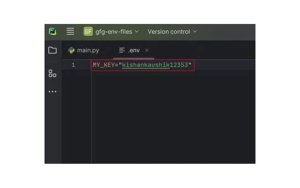
If you've ever cloned a GitHub repository and seen a file called .env.example staring back at you, you already know that mysterious feeling — what is this file, and why does everyone keep saying "never commit your .env"? Whether you're a beginner stepping into backend development or a seasoned engineer brushing up on best practices, understanding the .env file is non-negotiable in 2026's security-conscious dev landscape.
The .env file (short for "environment file") is one of the most quietly powerful tools in a developer's workflow. It stores environment variables — sensitive configuration values like API keys, database credentials, and secret tokens — completely separate from your source code. In a world where data breaches and leaked credentials dominate headlines, mastering the .env file isn't just good practice. It's survival.
What Is a .env File and Why Does It Exist?
A .env file is a plain-text configuration file stored at the root of your project directory. It follows a simple KEY=VALUE syntax and is read by your application at runtime to inject sensitive or environment-specific values. The concept was popularized by the Twelve-Factor App methodology, a widely respected framework for building scalable, maintainable software-as-a-service applications.
Before .env files became standard, developers often hardcoded credentials directly into source files — a practice that led to countless security disasters. By separating configuration from code, the .env pattern ensures that your secrets never travel with your codebase. A developer on macOS, a staging server on Linux, and a production environment on AWS can all run the same codebase with entirely different configurations, just by swapping out the .env file.
Pro-Tip: Always add .env to your .gitignore file immediately when starting a new project. Pair it with a .env.example file that contains all the required keys but with empty or dummy values, so teammates know exactly what variables they need to configure without ever seeing your real secrets.
The Basic Syntax and Structure of a .env File
The syntax of a .env file is intentionally minimal and human-readable. Each line defines one variable using the format KEY=VALUE, with no spaces around the equals sign. Keys are typically written in SCREAMING_SNAKE_CASE (all uppercase with underscores) by convention, though most parsers are case-sensitive. Lines beginning with a # symbol are treated as comments and ignored by parsers, making it easy to document your variables inline.
Here is a typical example of what a .env file looks like in a modern 2026 web application:
DB_HOST=localhost
DB_PORT=5432
DB_NAME=myapp_db
DB_USER=admin
DB_PASSWORD=supersecretpassword
API_KEY=sk-abc123xyz
JWT_SECRET=myjwtsecret
NODE_ENV=development
Values containing spaces or special characters should be wrapped in double quotes (e.g., APP_NAME="My Awesome App"). Most modern .env parsers — including dotenv for Node.js, python-dotenv, and Vite's built-in env handling — support quoted strings, multiline values, and variable expansion. Understanding these nuances prevents subtle bugs that can be notoriously hard to trace.
Pro-Tip: Never put spaces around the = sign. While some parsers are forgiving, strict parsers (especially in shell scripting contexts) will break silently, causing your app to receive undefined or empty values without any error message. Consistency in syntax is your best friend.
How to Load .env Variables in Popular Frameworks and Languages
One of the greatest strengths of the .env pattern is its near-universal adoption across languages and frameworks. In 2026, virtually every major development ecosystem has a first-class or well-supported method for reading .env files. The implementation varies slightly, but the core concept — load variables into the process/application environment at startup — remains identical.
Here is how you load .env files across the most popular stacks: In Node.js, install the dotenv package (npm install dotenv) and add require('dotenv').config() at the very top of your entry file. In Python, use python-dotenv (pip install python-dotenv) and call load_dotenv() before accessing os.environ. In React / Vite projects, variables prefixed with VITE_ are automatically exposed to the client bundle — no extra library needed. In Next.js, .env.local is loaded automatically, with NEXT_PUBLIC_ prefix required for client-side exposure. Laravel (PHP) uses the vlucas/phpdotenv package, and it's baked into the framework by default.
Pro-Tip: For Next.js and Vite projects, be extremely careful about which variables you prefix for client-side exposure. Any variable accessible in the browser bundle is publicly visible to end users. Never prefix server-side secrets like database passwords or private API keys with NEXT_PUBLIC_ or VITE_.
The Critical Security Rules Every Developer Must Follow in 2026
Security around .env files is not optional — it is a fundamental professional responsibility. In 2026, automated bots continuously scan public GitHub, GitLab, and Bitbucket repositories for accidentally committed .env files. Within minutes of a credential being pushed to a public repo, it can be harvested, abused, and used to rack up thousands of dollars in cloud charges or exfiltrate sensitive user data. This is not hypothetical — it happens daily.
The golden rules for .env security are: 1) Always add .env to .gitignore before your first commit — not after. 2) Use a secrets manager for production (AWS Secrets Manager, HashiCorp Vault, Doppler, or 1Password Secrets Automation) instead of deploying raw .env files to servers. 3) Rotate credentials immediately if you suspect a leak — do not wait. 4) Use different .env files per environment — development, staging, and production should never share the same secrets. 5) Audit your repository history with tools like git-secrets or truffleHog to detect any past accidental commits.
Pro-Tip: Use a tool like Doppler or Infisical in 2026 to sync your environment variables securely across your team and deployment pipelines. These platforms act as a centralized, encrypted source of truth for all your .env values, eliminating the need to manually share .env files via Slack or email — which is a significant security anti-pattern.
Multiple .env Files: Managing Environments Like a Pro
Modern applications don't live in just one environment. They move through development, testing, staging, and production pipelines, and each stage requires different configuration values. A database URL that points to your local PostgreSQL instance in development should absolutely not be the same one your production app uses. This is where environment-specific .env files become essential for professional-grade workflows.
Most frameworks support a hierarchy of .env files. In Next.js, for example, you can have .env (base defaults), .env.local (local overrides, never committed), .env.development, .env.staging, and .env.production. The framework merges these in a defined priority order. In Docker Compose environments, you can pass different --env-file flags to target specific configurations. Vite follows a similar cascading model, loading mode-specific files based on the --mode flag passed to the CLI.
Pro-Tip: Establish a clear naming convention for your team from day one. Document which .env files are committed (only .env.example and potentially .env.development.example), which are gitignored, and who is responsible for maintaining production secrets. This prevents the chaos of "it works on my machine" caused by missing or mismatched environment variables across teammates' setups.
Common Mistakes and How to Debug .env Issues
.env issues are among the most frustrating bugs to debug because they often manifest as silent failures — your app simply receives undefined for a variable and then crashes or behaves unexpectedly downstream. The most common culprit is forgetting to call the loader function (like dotenv.config()) before accessing process.env, or calling it too late in the module import chain due to JavaScript's hoisting behavior.
Other frequent mistakes include: trailing whitespace after values (e.g., API_KEY=abc123 with a hidden space), which causes authentication failures; missing the file entirely in a new environment after cloning; using quotes inconsistently (some parsers strip outer quotes, others don't); and referencing variables that are only available server-side from client-side code. In 2026 frameworks that support TypeScript, tools like t3-env or Zod-based env validation can catch missing or malformed environment variables at build time rather than runtime.
Pro-Tip: Add an env validation step to your application startup. Libraries like envalid (Node.js) or pydantic-settings (Python) let you define a schema for your environment variables with types, required flags, and default values. If a required variable is missing or malformed, the app refuses to start and throws a clear, descriptive error — saving you hours of mysterious debugging.
The Future of Environment Variable Management Beyond .env in 2026
While the .env file remains a cornerstone of local development in 2026, the industry is steadily moving toward cloud-native secrets management for production workloads. The limitations of flat .env files — no versioning, no audit trails, no fine-grained access control, no automatic rotation — make them unsuitable as a long-term production solution at scale. Forward-thinking engineering teams are now treating .env files as a local convenience layer, not a deployment strategy.
The leading tools reshaping this space in 2026 include HashiCorp Vault for enterprise-grade secret storage with dynamic credentials, AWS Secrets Manager and Parameter Store for AWS-native workloads, Doppler and Infisical for developer-friendly secret syncing, and GitHub Actions Secrets / GitLab CI Variables for CI/CD pipeline injection. Kubernetes environments use Sealed Secrets or External Secrets Operator to pull secrets from vaults directly into pods. The shift is clear: secrets belong in a dedicated, auditable, encrypted system — not in a text file.
Pro-Tip: Even if your project is small today, architect your secret access patterns with future migration in mind. Abstract your environment variable access behind a thin wrapper module (e.g., config.ts) so that when you eventually move from .env files to a secrets manager, you only need to change one file — not dozens of scattered process.env.X calls throughout your codebase.
Final Thoughts
The humble .env file punches far above its weight in terms of impact on application security, developer experience, and deployment flexibility. Mastering it — from its basic KEY=VALUE syntax to multi-environment strategies and validation patterns — is a foundational skill that separates careful, professional developers from those who learn hard lessons through leaked credentials and production incidents. In 2026, the tools around environment management are more powerful than ever, but the core principle remains the same: keep your secrets out of your code, and your code will stay trustworthy. Start with a solid .env workflow today, build the habit of security-first configuration, and you'll be set up for whatever the modern development landscape throws at you next.
